

Contractors
The invoice app for contractors who quote on site.
Contractors rarely lose money on the work. They lose it in the gaps: the estimate you meant to write up tonight, the deposit you forgot to ask for, the final invoice that waits until Sunday. Jiffy closes those gaps from your phone, before you leave the driveway.
Estimate, signature and deposit before you drive off
You walked the job and you know the price. Put it in writing while the homeowner is still standing next to you.
- Write the estimate with separate lines for labour and materials, each with its own VAT rate.
- Add a deposit as a percentage or a fixed amount, so the materials are paid for before you buy them.
- Hand over your phone and let the client sign on the screen, or send the link by text or WhatsApp to sign tonight.
Quote 2026-0017 for Juniper Bakery
£4,800.00
Valid until 30 Oct 2026
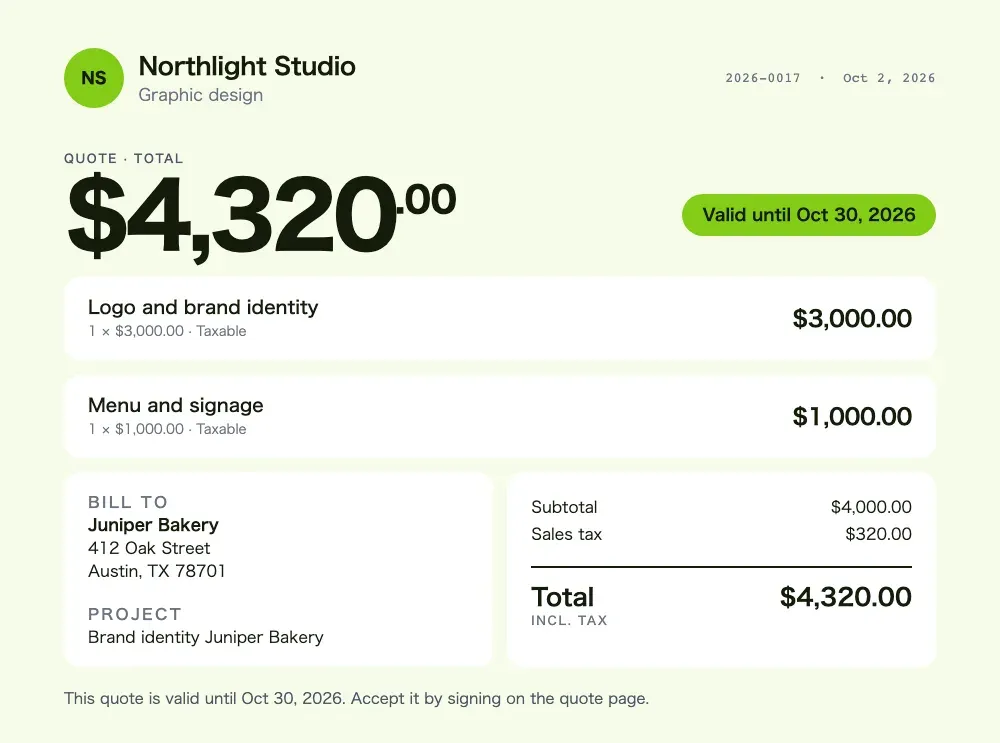
Sign to accept
From signed estimate to final invoice in one tap
When the job is done, open the accepted estimate and tap “To invoice”. Jiffy copies every line and the payment schedule, and the deposit the client already paid comes off the total. They only see what is left.
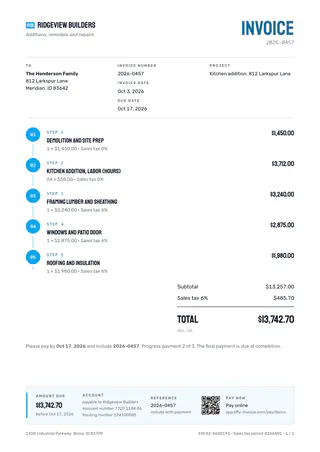
Bigger jobs can be split into a deposit plus up to 11 installments, each with its own date. Put the job address or project name in the reference field and it shows on the invoice and in the email, so nobody has to guess which kitchen this is about.
Your regular prices, saved once
Save the things you bill every week as items: your hourly rate, a day rate, a call-out, a standard install. Adding them to an estimate takes a tap instead of a calculator. Every estimate has a valid-until date, so last spring’s price cannot be signed this fall.
On Pro you can snap the receipt at the supply store and Jiffy reads the supplier, date, total and tax for your expenses. Each scan costs 1 credit.
Hands full? Say it instead
On Ultra the assistant takes spoken commands. “Quote for the Parkers” starts a new estimate, “Remind Oakridge Dental” gets a reminder ready, “Mark invoice 42 as paid” opens the paid screen. Nothing goes out until you tap. See voice invoicing.
Unpaid after the due date? On Pro, automatic reminders follow up for you, each one with the payment link for card or Apple Pay.
Construction templates
Invoices that look like you run a real outfit.
Ten templates made for construction and the trades, from a blueprint with a title block to a sturdy header with a hazard stripe. Three come with Pro, all ten with Ultra.
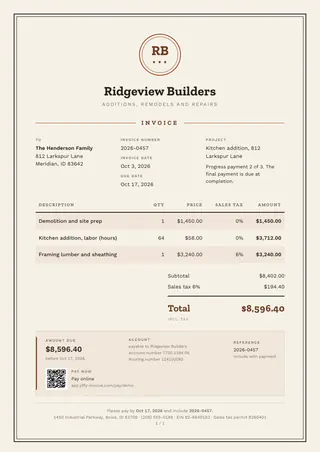
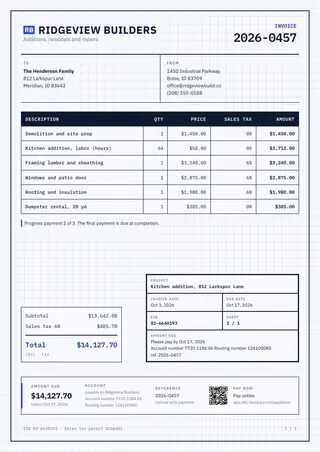
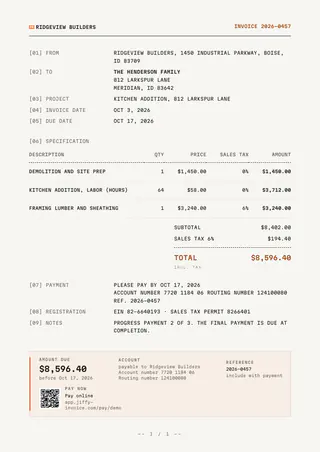
The features behind it
Read more about the features
Other trades
Jiffy for other trades
FAQ
Good questions.
Can my client sign the estimate on my phone?
Yes. Open the estimate, hand over your phone and let them sign on the screen with their name. Or send the link and they sign on their own phone, no app or account needed.
Can I ask for a deposit before I start?
Yes, on every plan. Add a deposit to the estimate as a percentage or a fixed amount. The client sees it before signing and pays it right after, online on Pro and Ultra or by bank transfer.
Can I bill a big job in stages?
Yes. Split the estimate or invoice into a deposit and up to 11 installments, each with its own date. When you convert the estimate, the whole schedule moves to the invoice.
Is there a free plan for contractors?
Yes. Free includes estimates, e-signatures and deposits, with 3 invoices a month and no end date. Pro adds unlimited invoices, card payments and automatic reminders.
Not here? Email us: [email protected]
Win the job before you leave.
Start free with estimates, e-signatures and deposits. Free has no end date.